 AI Agents Hub
Open-Source AI Coding in 2026: Aider vs Cody vs Continue
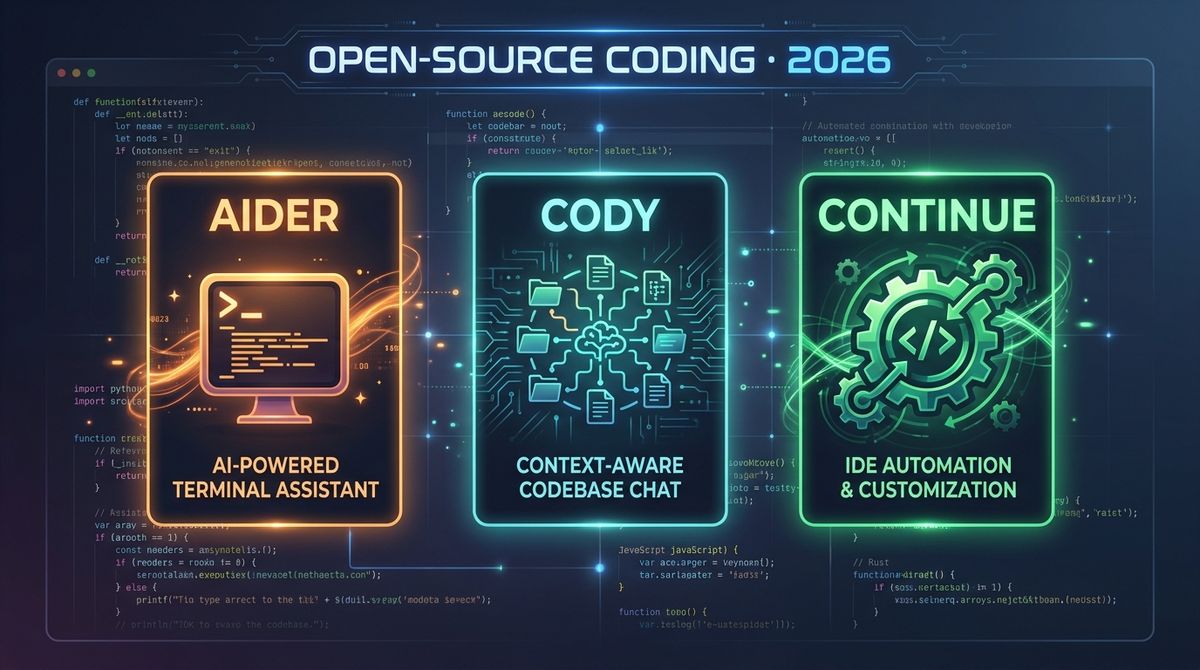
Three open-source AI coding tools have carved out distinct positions in 2026. Aider is the terminal-native git-integrated pair programmer. Cody is the codebase-aware enterprise assistant. Continue is the assemble-your-own-stack extension.
Three open-source AI coding tools have carved out distinct positions in 2026. Aider is the terminal-native AI pair programmer that lives in your git workflow. Cody is Sourcegraph's enterprise code AI that knows your entire codebase. Continue is the open-source VS Code extension that lets you assemble your own AI coding stack. Same goal (open-source AI coding assistance), three different design philosophies.
This post is for developers who want AI coding help but are uncomfortable with the closed-source, cloud-only nature of Cursor and GitHub Copilot. The three tools in this post are all open-source, all BYOK (bring your own key), and all run in your environment. We compare them head-to-head using the profiles in our 62-agent directory.
Why open-source AI coding in 2026
The closed-source AI coding tools (Cursor, Copilot) have set the bar for quality, but they have three structural limitations for some users. First, your code leaves your machine (or you pay for a Business tier that promises otherwise). Second, the model is locked in — you cannot use a different model if the default does not work for you. Third, the customization is limited — the tool decides what features to ship, and you wait.
The open-source alternatives solve all three. Your code stays on your machine, you bring your own model (Claude, GPT, Gemini, DeepSeek, a local Ollama model), and you can fork and customize. The trade-off is setup complexity and quality variance across models. For a developer who values control and code privacy, the open-source path is the right answer.
Aider: the terminal-native pair programmer
Aider is the open-source AI pair programmer that lives in your terminal and integrates with git. The pitch is "open-source, terminal-native, git-integrated AI pair programming." You give Aider a task, and it edits files, runs commands, and commits the changes with a meaningful commit message. The whole workflow feels like pair programming with a senior developer who types fast.
The standout feature is the git integration. Every change Aider makes is committed with a descriptive message, so you can review the diff, revert if needed, and see the history of what the AI did. The other under-appreciated feature is the multi-file editing — Aider handles refactors across many files in one session, with the ability to undo and redo individual changes. For a developer who already lives in the terminal and the git workflow, Aider is the most natural fit.
The pricing is just the API cost. Aider is open-source and free; you pay the model provider directly. Using Claude Sonnet 4.5, a typical 30-minute Aider session might cost $2-5 of API usage. For a developer who is cost-conscious or who has access to a free model (DeepSeek, a local Ollama model), Aider can be effectively free.
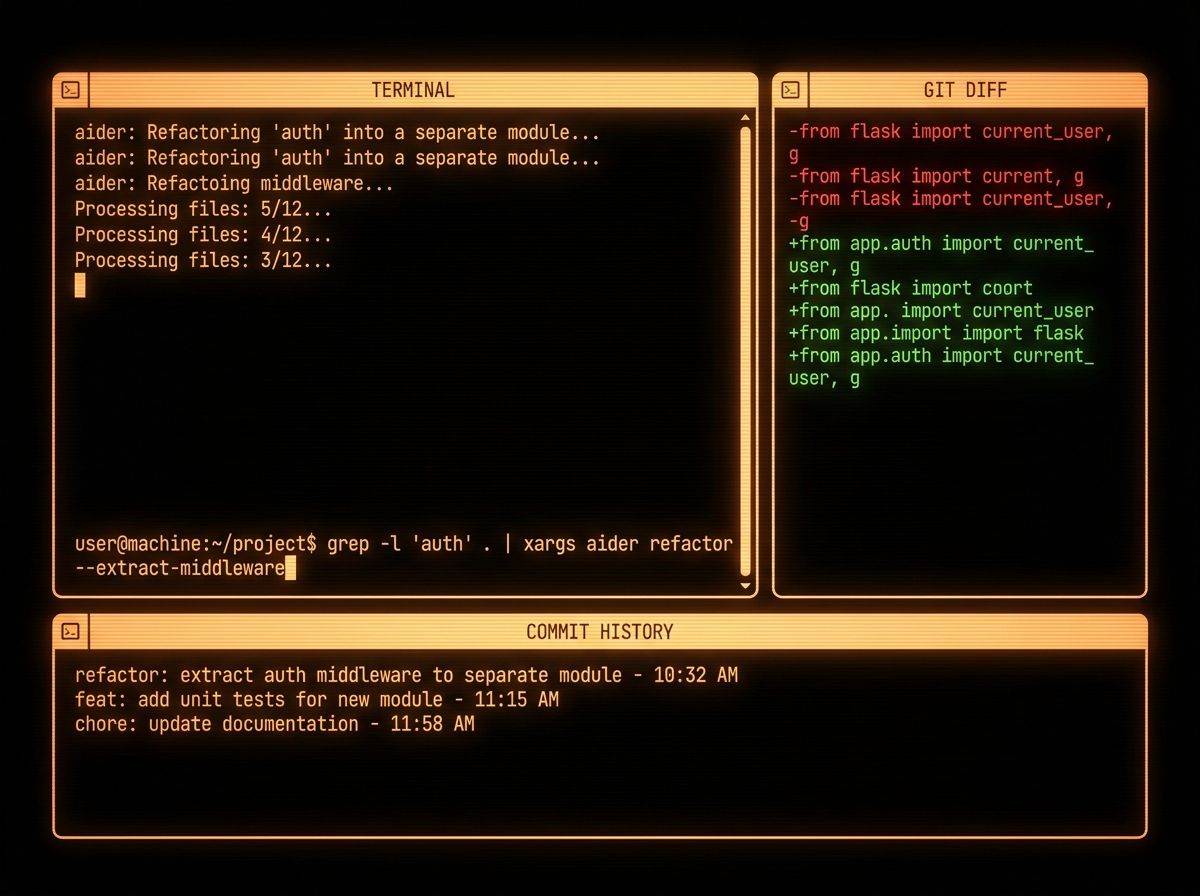
Where Aider is weak: it is terminal-only, so the visual feedback is limited. For a developer who wants inline autocomplete, a chat panel in the editor, or a rich UI, Aider is the wrong tool — the closed-source IDE-integrated tools are better. The other soft spot is the model quality — Aider is only as good as the model you bring. The default Claude Sonnet 4.5 is excellent, but if you are using a smaller model for cost reasons, the quality drops noticeably.
Pick Aider if you are a terminal-native developer, you already use git for version control, and you want an open-source BYOK tool that integrates with your existing workflow. Skip it if you need a rich IDE experience, or you are not comfortable with the terminal.
Cody: the codebase-aware enterprise AI
Cody is Sourcegraph's AI coding assistant, and the pitch is "the AI that knows your entire codebase." Cody uses Sourcegraph's code search to give the model context from your whole repository — every file, every commit, every symbol. For an enterprise codebase with millions of lines of code, this is the only tool that can answer "where is X used?" or "what calls this function?" with full coverage.
The standout feature is the codebase context. Cody's understanding of your codebase is unmatched — the model sees the imports, the call graph, the conventions, and the patterns from across the entire repo. The other under-appreciated feature is the enterprise story — SSO, audit logs, role-based access control, on-prem deployment. For a large enterprise that needs AI coding with proper governance, Cody is the right answer.
The pricing is enterprise-focused. Cody Free is generous (individual use, limited model calls), Pro is $9/month for individual developers, and Enterprise is custom-priced (typically $20-50/developer/month with SSO, audit logs, and the on-prem option). For a startup, Pro is the right answer; for an enterprise, Enterprise is the only path.
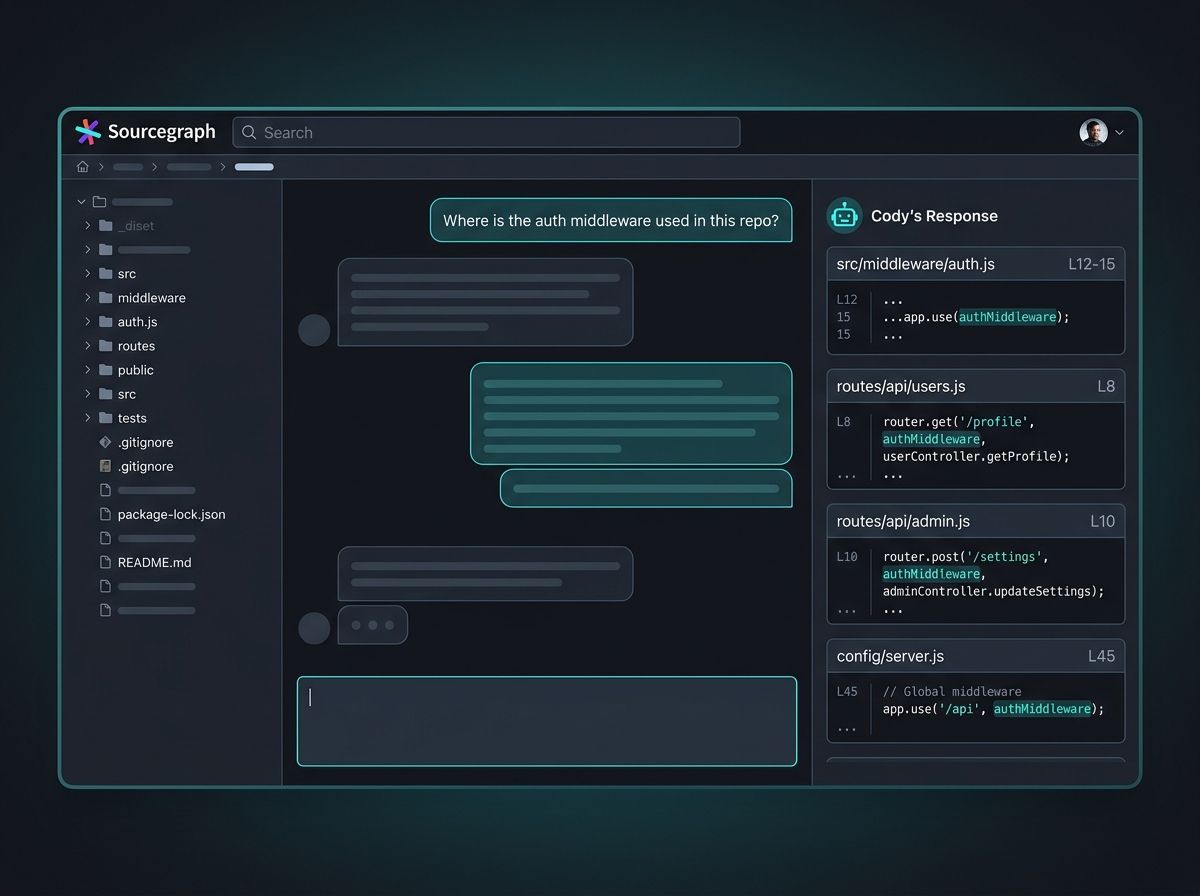
Where Cody is weak: the quality on tasks that need deep codebase context is excellent, but on simple tab autocomplete, Cody is less impressive than Cursor or Copilot. The other soft spot is the model choice — Cody supports Claude, GPT, and others, but the default model and the optimization around it is less tuned than a focused product like Cursor.
Pick Cody if you work on a large enterprise codebase, you need the AI to understand the full context, and you need the enterprise governance features (SSO, audit, on-prem). Skip it if you are a solo developer on a small project, or you need the best tab autocomplete.
Continue: the assemble-your-own-stack extension
Continue is the open-source VS Code (and JetBrains) extension that lets you assemble your own AI coding stack. You bring the model (Claude, GPT, Gemini, DeepSeek, a local Ollama model), you bring the tools (slash commands, context providers, custom assistants), and Continue wires them together. The pitch is "the AI coding extension that does not lock you in."
The standout feature is the flexibility. Continue's config.json lets you define multiple models (a strong model for complex tasks, a fast model for autocomplete), multiple context providers (your codebase, your documentation, your internal APIs), and custom assistants (a "code reviewer" persona, a "test writer" persona). For a developer who wants to fine-tune their AI coding setup, Continue is the right tool.
The other under-appreciated feature is the local model support. Continue is one of the few extensions that makes running a local model (via Ollama or LM Studio) as easy as a cloud model. For a developer with code privacy concerns, a local model + Continue is the only path that keeps the code on your machine with a rich VS Code experience.
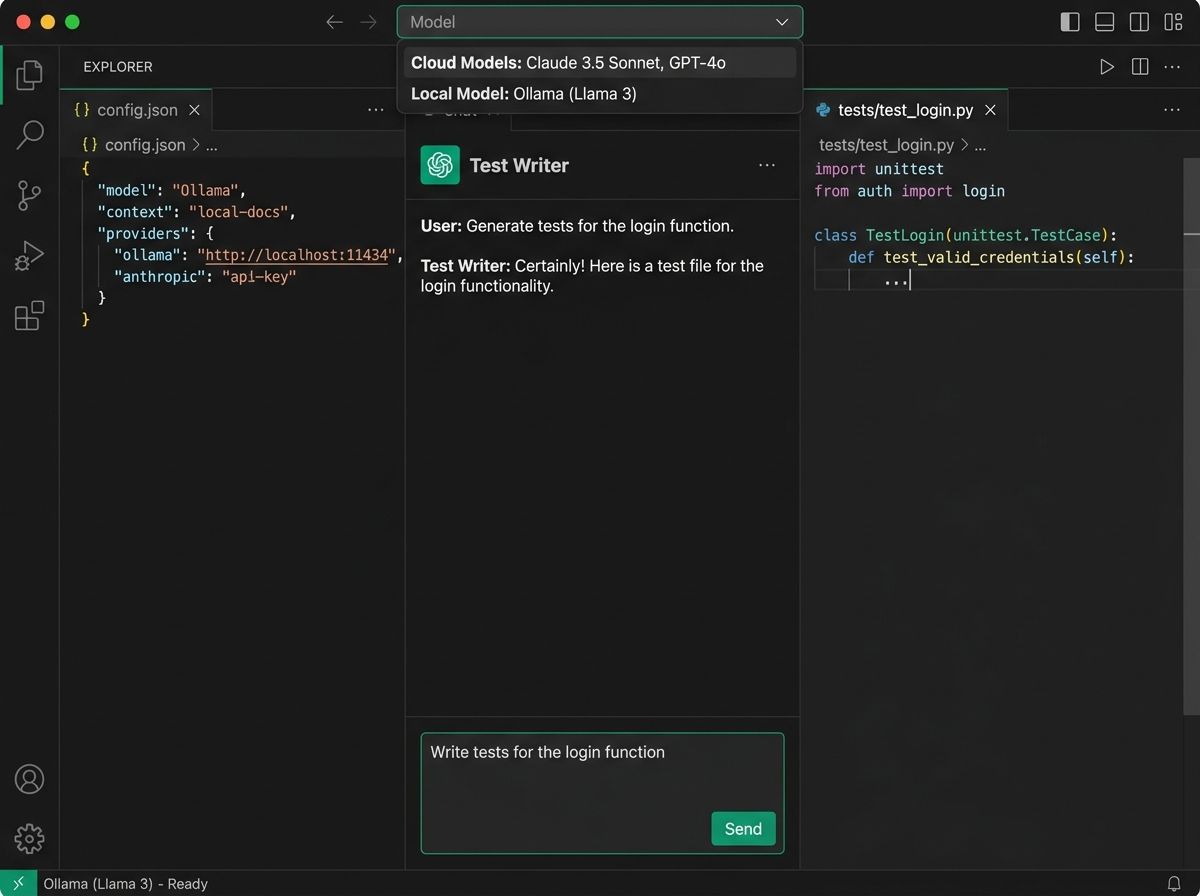
Where Continue is weak: the flexibility comes with a setup cost. Cody and Aider have opinionated defaults that work out of the box; Continue requires you to read the docs and configure the model, the context, and the assistants. For a developer who wants zero setup, Continue is the wrong tool. The other soft spot is the tab autocomplete — it is functional but not best-in-class (Cursor's tab autocomplete is still ahead).
Pick Continue if you want full control over your AI coding stack, you need to run a local model for code privacy, or you are a power user who likes to tune the tools. Skip it if you want zero setup, or you do not need the flexibility.
Comparison at a glance
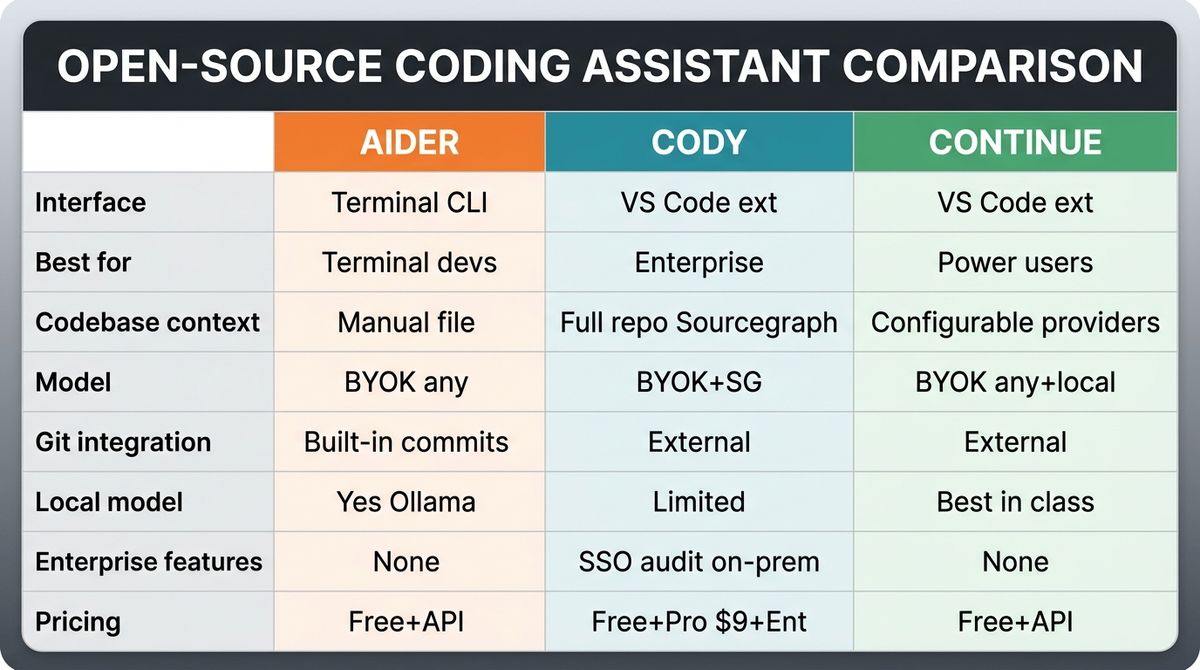
| Aider | Cody | Continue | |
|---|---|---|---|
| Interface | Terminal (CLI) | VS Code / JetBrains | VS Code / JetBrains |
| Best for | Terminal devs, git workflow | Enterprise, large codebases | Power users, local models |
| Codebase context | Manual (file context) | Full repo via Sourcegraph | Configurable providers |
| Model | BYOK (any) | BYOK + Sourcegraph models | BYOK (any, including local) |
| Git integration | Built-in commits | External | External |
| Local model | Yes (Ollama) | Limited | Best in class |
| Enterprise features | None | SSO, audit, on-prem | None (BYO) |
| Pricing | Free + API cost | Free / Pro $9 / Enterprise custom | Free + API cost |
| Setup | Low (pip install) | Low (extension install) | Medium (config.json) |
Verdict by use case
If you are a terminal-native developer with a git workflow: Aider. The git integration, the terminal-native feel, and the BYOK flexibility make it the most natural fit for a developer who lives in the shell.
If you work on a large enterprise codebase and need the AI to know the full context: Cody. The Sourcegraph-powered codebase context, the enterprise governance, and the on-prem option make it the right answer for enterprise use cases.
If you want to run a local model and keep your code on your machine: Continue. The local model support is the best in class, and the config-driven approach lets you fine-tune every aspect of the AI coding experience.
If you are a power user who likes to assemble their own stack: Continue. The config.json approach is the most flexible. You can swap models, providers, and assistants without waiting for the tool to ship new features.
If you want the best out-of-the-box experience: Cody. For a developer who does not want to read docs, Cody's opinionated defaults work well. Continue requires more setup.
For most serious AI coding work, you end up using a mix. Aider for terminal-driven refactors, Cody for codebase-aware Q&A, Continue for the local-model case. The three are not mutually exclusive — they cover different parts of the AI coding workflow.
What to try first
If you've never used an open-source AI coding tool, start with Continue — the VS Code extension is the lowest friction, and the free tier is enough to feel the category. Once you've explored the model picker and the context providers, try Aider for the terminal-native experience. Add Cody when you work on a codebase large enough to benefit from full-repo context. The three are not mutually exclusive — install all three and use the one that fits the task.
Bottom line
Aider, Cody, and Continue cover three different opinions on what "open-source AI coding" means. Aider is the terminal-native git-integrated pair programmer. Cody is the codebase-aware enterprise assistant. Continue is the assemble-your-own-stack extension. Pick the one that matches your workflow — terminal (Aider), enterprise (Cody), or power user (Continue) — and add the others when you hit the limits of the first one.
See the full profiles — and 59 other AI agents — in our directory.