 AI Agents Hub
MCP Explained: What It Is and 6 AI Tools That Use It Well
The Model Context Protocol is the closest thing the AI agent ecosystem has to a standard plug. We explain what MCP actually does, why it matters, and profile 6 tools in our directory that ship with first-class MCP support.
For two years, every AI tool that needed to "do something" in the real world — read a file, query a database, hit an API — built the integration itself. The result was a thousand bespoke connectors, each slightly different, each maintained by a different team, each breaking when the underlying tool changed. The Model Context Protocol (MCP) is the closest thing the AI agent ecosystem has to a standard plug: a single protocol that any model can use to talk to any tool, with the tool author and the model author both writing to the same spec.
Two years after Anthropic open-sourced the spec, MCP is the default way to extend a coding agent. If you have a tool that does something useful, the answer to "how does my AI agent use it" is "wrap it in an MCP server" — and the answer to "which AI agents can use it" is "any of them". This post explains what MCP actually does, why it matters more than it sounds, and walks through 6 tools in our directory that ship with first-class MCP support.
What MCP actually is
MCP is a protocol — a contract — between an AI model (or an agent that uses one) and a tool that the model wants to call. The protocol defines three things: how the model discovers what tools are available, how the model invokes a tool, and how the tool returns its result. The model speaks JSON-RPC; the tool registers itself as a server; the model acts as a client.
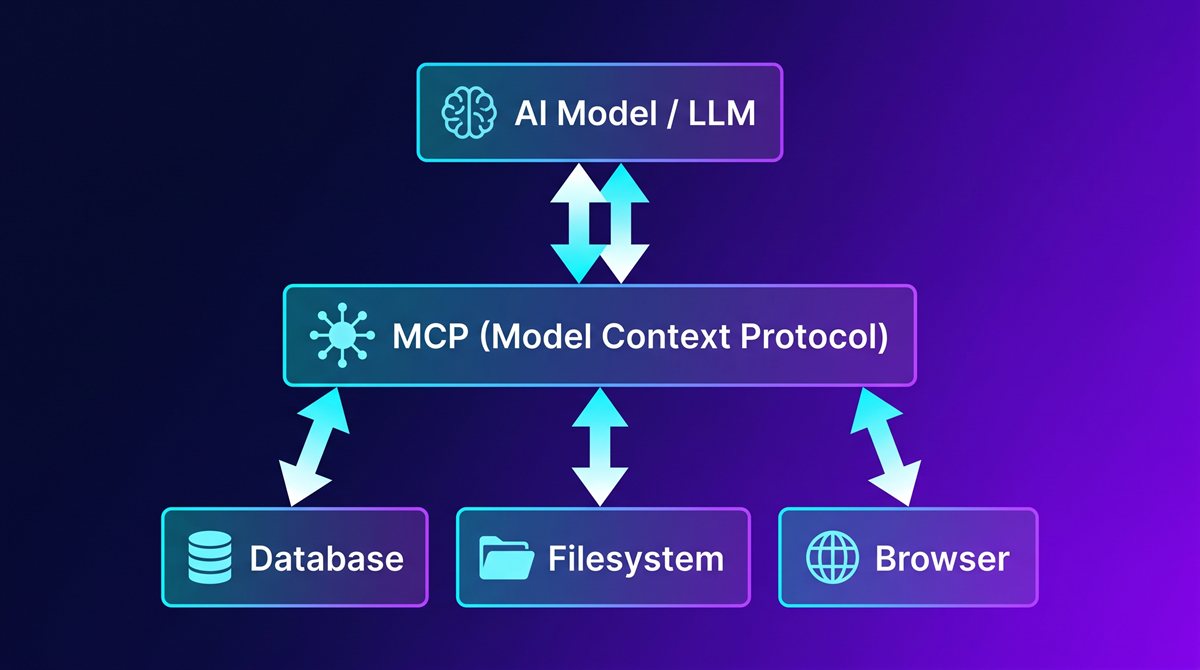
The practical consequence: if you write an MCP server for your tool once, every MCP-compatible agent (and there are now many) can use it without you touching the agent's code. The reverse is also true — if you are building an agent, you ship MCP support once and your agent can use any MCP server in the ecosystem. This is the part that matters: it converts a million-point integration graph (every agent × every tool) into a 1+1+N graph (one protocol + the agent + the tools).
You can think of MCP as the USB-C of AI agent integrations. Before USB-C, every device had its own connector. After USB-C, every device speaks the same protocol and the connector count collapses. The same thing is happening with MCP — the agent ecosystem is moving from "every agent integrates with every tool" to "every agent implements MCP, every tool ships an MCP server".
Why it matters more than it sounds
Three practical consequences of MCP that are easy to underestimate.
First, the build-vs-buy decision flips. Before MCP, if you needed an agent to read your database, you had to build that integration yourself, in the agent's specific API. With MCP, you either find an existing MCP server for your database (most major databases have one) or wrap your database in 100 lines of code that follow the MCP spec. The agent stays unchanged. This makes "use the agent I already have" the obvious choice in a lot of cases where "build a custom agent" used to be the only option.
Second, the agent lock-in weakens. If you standardise on MCP, switching agents becomes a configuration change, not a rewrite. The integrations live in MCP servers, not in the agent. This is good for users (less lock-in) and good for the ecosystem (agents compete on quality, not on which integrations they ship).
Third, the security story becomes tractable. Before MCP, every agent implemented its own permission system. After MCP, the permission system can live in the MCP server itself — a database MCP server knows what queries are read-only and which can mutate, and the agent doesn't need to encode that domain knowledge. The result is more granular, more auditable, and less error-prone than per-agent permission systems.
6 tools that use MCP well
Here are six tools in our directory that ship with first-class MCP support, in the rough order of how central MCP is to the product.
1. Claude Code — terminal-native agent with first-class MCP
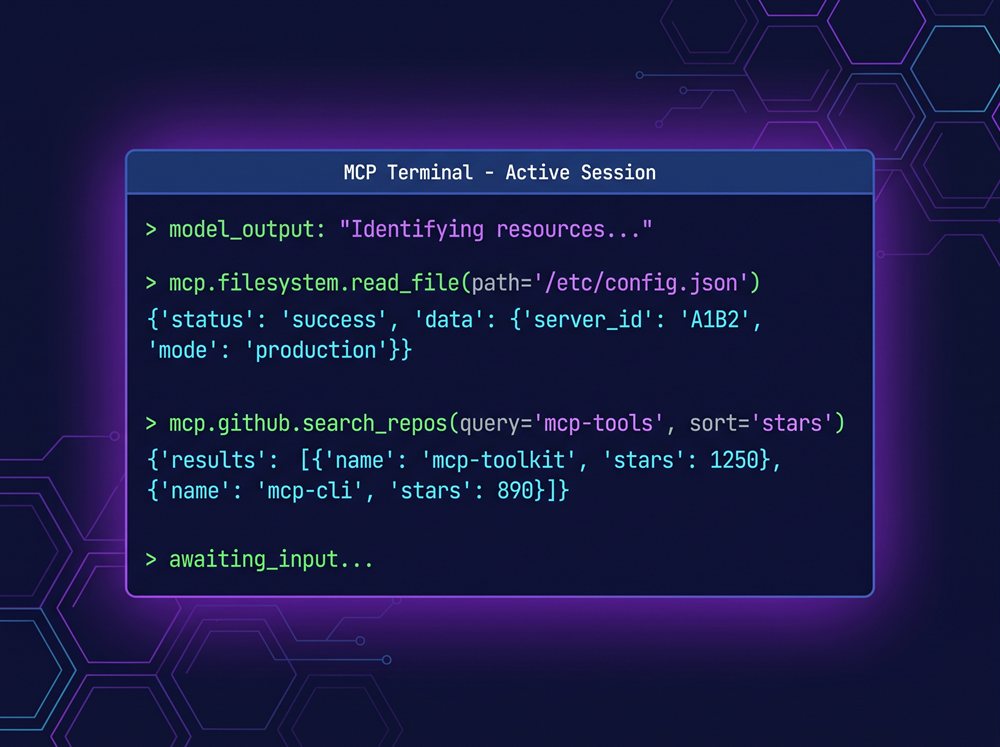
Claude Code ships with MCP as a core primitive, not an add-on. The claude mcp add command lets you wire up any MCP server in one line — filesystems, Puppeteer, databases, custom internal tools. The agent discovers available tools at session start, calls them via the standard protocol, and uses the results in the next reasoning step. If you are running Claude Code against a real codebase, you are almost certainly running it against at least one MCP server.
2. Cline — open-source agent that can create MCP servers on the fly
Cline is the open-source alternative to Claude Code that pushes MCP one step further: it can create and install new MCP servers as part of its workflow. If you ask Cline to "add a tool that talks to my CRM", it can write the MCP server code, register it, and use it in the same session. This makes Cline the most MCP-extensible tool in the directory — the only limit is what its BYOK model can write.
3. Cursor — AI-first editor with MCP via Composer
Cursor's Composer (Agent mode, Cmd+I) supports MCP servers registered through the project's .cursor/mcp.json file. Once a server is registered, Composer can invoke its tools as part of any multi-step task. The setup is less interactive than Claude Code or Cline, but the same MCP servers work the same way — which is the whole point of the protocol.
4. Continue — open-source VS Code AI extension
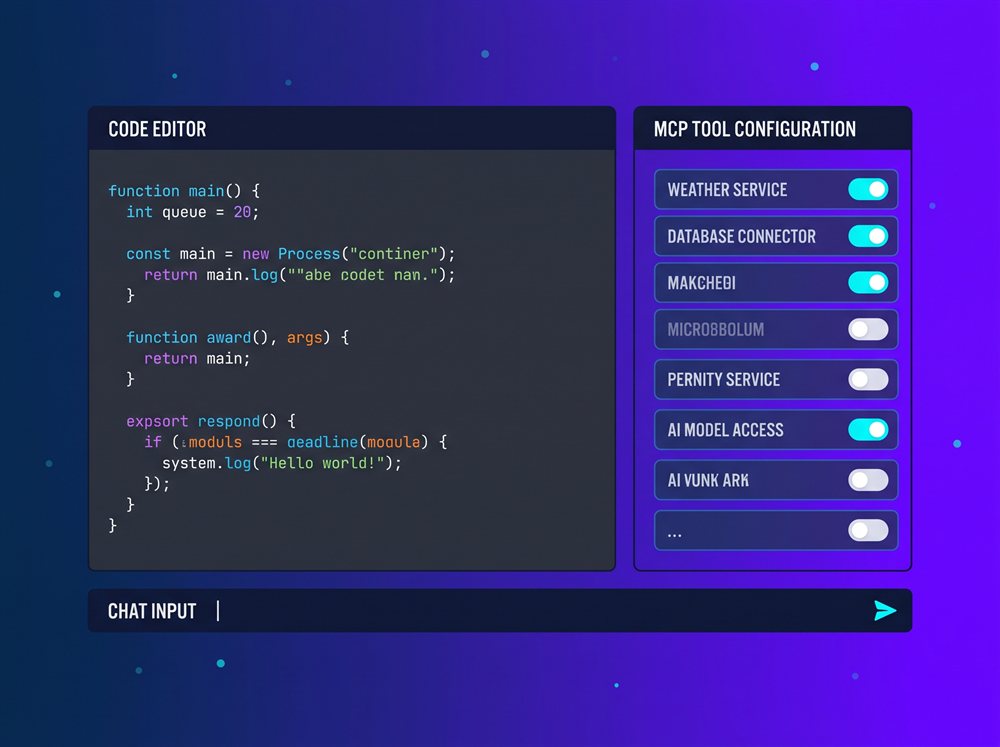
Continue supports MCP through its config.json file. You register an MCP server, Continue discovers its tools, and your custom assistants and slash commands can call those tools. The use case is similar to Cline (open-source, BYOK) but the configuration is more "devs assemble their own stack" — you bring the model, the tools, and the integrations, Continue wires them together.
5. Cody — Sourcegraph's enterprise code AI
Cody from Sourcegraph supports MCP through its enterprise configuration. The pitch is "Cody knows your entire codebase (because Sourcegraph indexes it), and with MCP it can also know your internal tools". For enterprise users, the combination of codebase context + MCP access to internal systems (Jira, Linear, custom APIs) is the most useful MCP workflow available today.
6. Mastra — TypeScript framework for building MCP servers
Mastra is the framework side of MCP. If you want to build an MCP server (so other agents can use your tool), Mastra gives you a TypeScript-first framework with batteries-included primitives for tools, workflows, and integrations. Mastra is the most meta entry on this list — it is a tool for building the tools that the other tools consume.
Comparison at a glance
| MCP role | Setup | Best for | |
|---|---|---|---|
| Claude Code | Native client + server | CLI command | Terminal workflows, production use |
| Cline | Native client + can create servers | VS Code extension + API key | Open-source flexibility, ad-hoc tools |
| Cursor | Native client | JSON config | Editor workflows, code-first teams |
| Continue | Native client | JSON config | Assemble-your-own-stack |
| Cody | Native client | Enterprise config | Codebase context + internal tools |
| Mastra | Server framework | TypeScript package | Building MCP servers |
Verdict: which to pick
If you want the deepest MCP story as a user of an agent: Claude Code. The protocol is a first-class primitive, the CLI is one line, and every tool you can think of has either an MCP server or a wrapper that ships with the agent.
If you want the most flexibility to invent new tools on the fly: Cline. The "create an MCP server as part of the workflow" pattern is unique to Cline, and for one-off internal tools it's the fastest way to go from "we need an agent that can do X" to "the agent can do X".
If you want the most polished editor experience with MCP: Cursor. The integration is quieter than Claude Code or Cline, but if your team already lives in Cursor, the MCP support is there and it works.
If you want to build an MCP server: Mastra. The framework is the most direct path from "TypeScript codebase" to "MCP server that any agent can use".
If you are an enterprise with a real codebase and real internal systems: Cody. The combination of Sourcegraph's codebase indexing + MCP access to internal tools is the strongest enterprise story in the directory.
What to try first
If you have never used MCP, the fastest on-ramp is to install Claude Code and add the filesystem MCP server with one command. You'll see the protocol in action — the model discovers the tool, calls it, and uses the result — in under five minutes. From there, the obvious next step is to find an MCP server for the tool you actually use most (a database, an API, a file system you don't normally access) and add that. Once you have two MCP servers running, you stop thinking of the agent as a "chat with a model" and start thinking of it as a "front-end to your tools" — which is the whole point.
Bottom line
MCP is the standard that makes the AI agent ecosystem possible. Six tools in our directory ship with first-class support today: Claude Code, Cline, Cursor, Continue, Cody, and Mastra as the build side. The protocol is still young, the ecosystem is still small, and the right time to standardise on it is now — before your integrations ossify around per-agent conventions.
See the full profiles for all six — and 56 other AI agents — in our directory.