 AI Agents Hub
The AI Productivity Stack in 2026: Meeting AI, Document AI, and Communication AI
Three categories of AI productivity tools are earning permanent spots in knowledge worker workflows: Fireflies and Otter for meeting capture, Notion AI for document drafting, and Grammarly for communication polish. Here's how they compose.
AI has moved into every corner of the modern knowledge worker's day — from the meeting you attend to the document you write to the Slack message you send. This post covers three categories of AI productivity tools that are earning permanent spots in workflows in 2026: AI meeting assistants (automating the capture, transcription, and summary of meetings), AI document tools (integrated into the documents you already write), and AI communication tools (catching grammar, tone, and clarity issues before they are sent). We pull from profiles in our 62-agent directory to give you the honest comparison.
The AI productivity stack in 2026
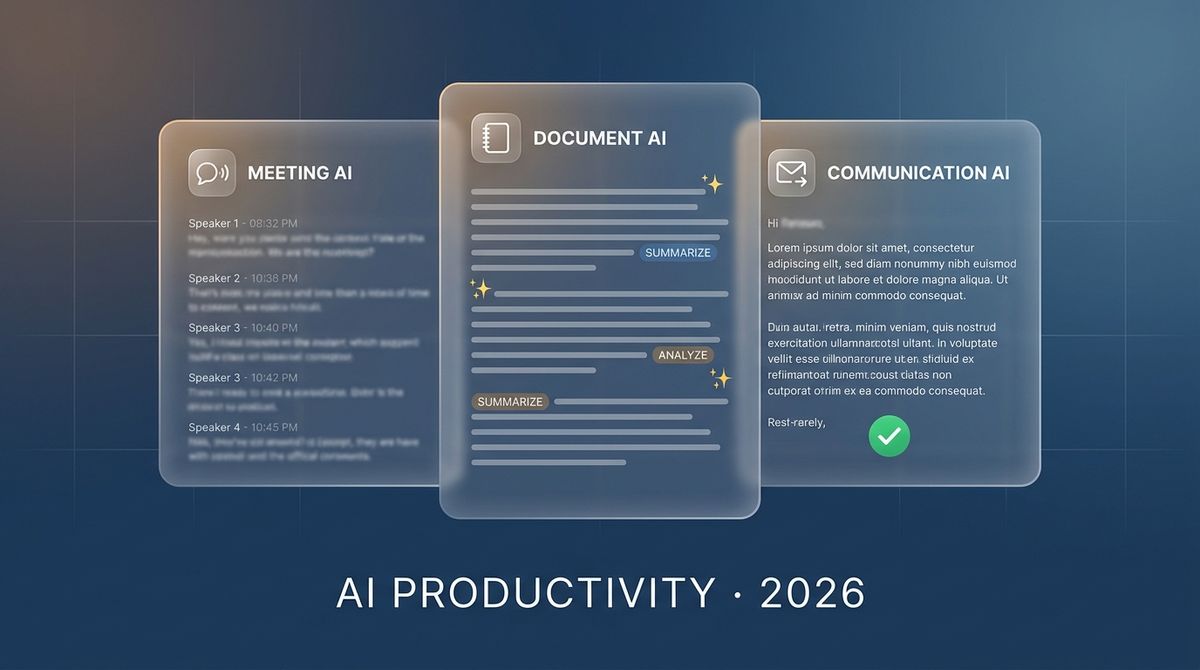
The three categories are distinct but increasingly overlapping. Meeting assistants record and transcribe your calls. Document AI lives inside Google Docs, Notion, or Word and helps you write as you go. Communication AI (Grammarly, Jasper) reviews what you write before you send it. In 2026, all three are converging — meeting assistants generate documents from meetings, document AI summarizes meetings, and Grammarly reviews documents written by AI.
The practical question is not "which category to use" but "which tool in each category earns a permanent spot in your workflow." We focus on the ones that have crossed the threshold from "novelty" to "I would notice if this were gone."
AI Meeting Assistants: Fireflies and Otter
Fireflies.ai and Otter.ai are the two dominant meeting AI platforms. Both record your meetings, transcribe them in real time, and generate summaries and action items. Both integrate with Zoom, Google Meet, Teams, and the major calendar tools. The difference is in the depth of the AI layer.
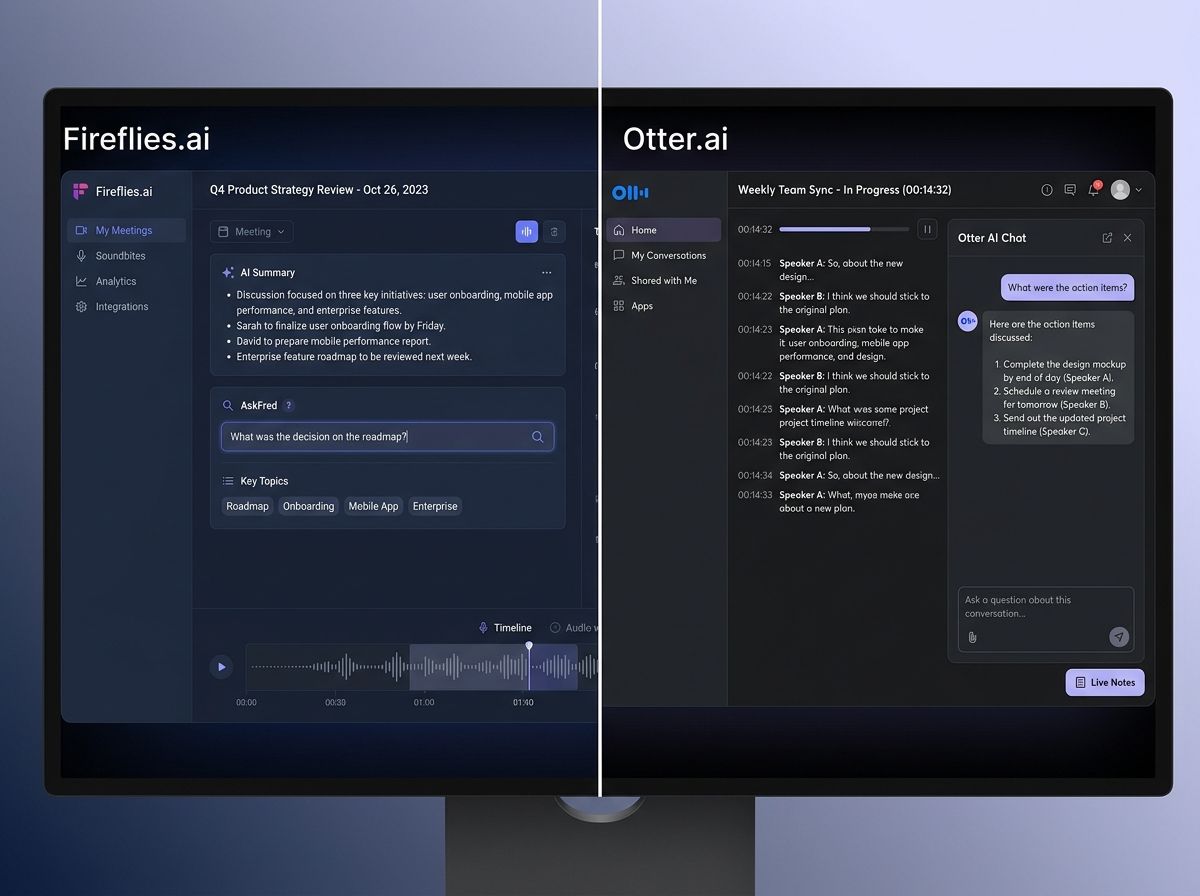
Fireflies.ai has invested heavily in its AI summary layer. It can identify action items, questions asked, key metrics mentioned, and sentiment across a meeting — and it surfaces these as searchable, shareable snippets. The AskFred feature lets you query your entire meeting history in natural language: "what did the product team decide about the roadmap?" Fireflies retrieves the relevant snippets from every meeting where it came up.
Otter.ai has been in the market longer and has a stronger real-time transcription engine. Its Otter AI Chat feature adds a conversational layer on top of live meetings — you can ask Otter questions during a meeting you are attending, and it answers from the live transcript. This is the feature that differentiates Otter for live-meeting attendees; Fireflies is stronger for asynchronous review.
Pick Fireflies.ai if your team does a lot of async review — people who could not attend the meeting, or who want to search through past meetings for specific decisions. The AskFred natural language query is genuinely useful for anyone who attends more than 5 meetings a week.
Pick Otter.ai if you attend live meetings and want a real-time transcription with an AI chat layer. The ability to ask questions during a meeting and get answers from the transcript is the most practical real-time AI feature in the meeting category.
AI Document Tools: Notion AI
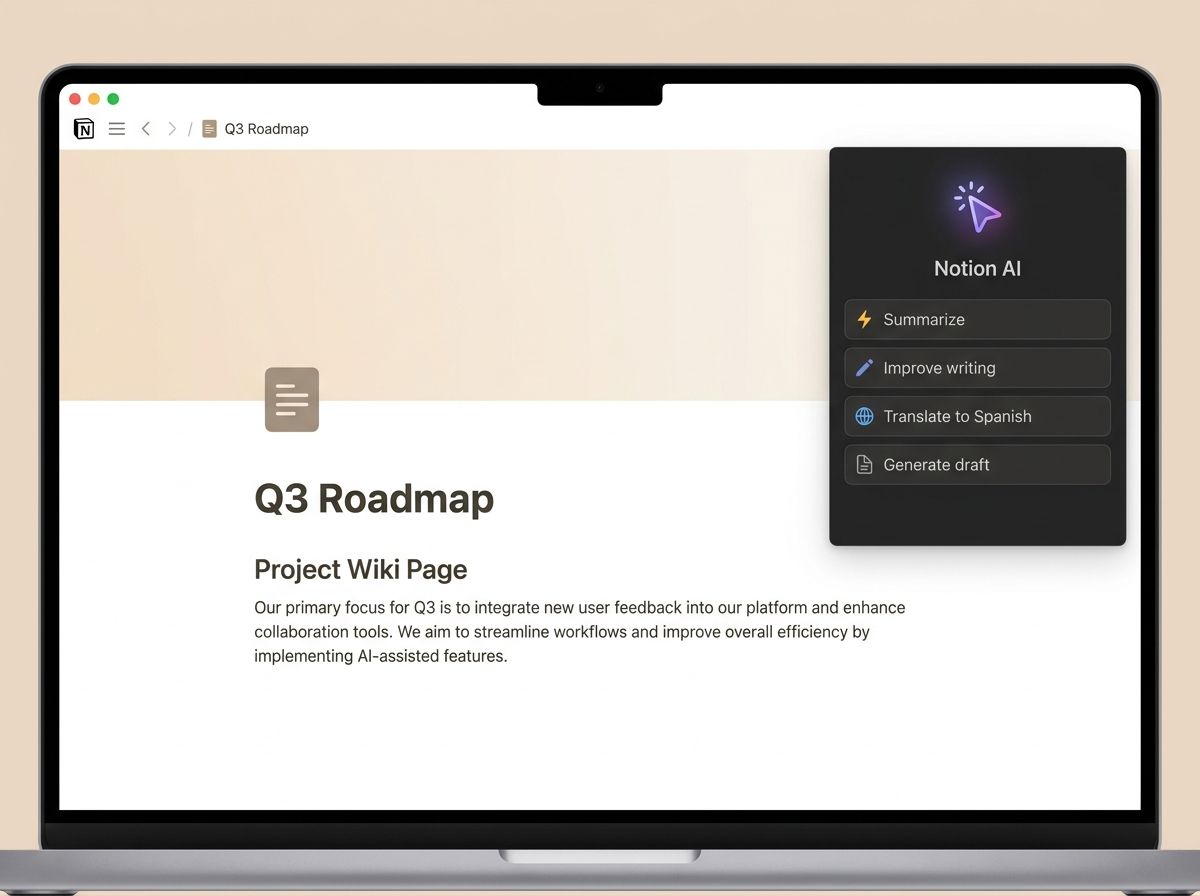
Notion AI is the AI layer built into Notion, the document and wiki platform used by millions of teams. It is not a standalone AI tool — it is AI woven into the documents you already write. The integration is seamless: select any text in Notion, press Space, and Notion AI rewrites, summarizes, expands, or translates it. Start a new page with a prompt and Notion AI generates a first draft.
The value of Notion AI is not the AI quality (which is good but not frontier-class) — it is the workflow integration. You are already in Notion. The AI is right there, requiring no context switching, no new tool, no new tab. For teams that live in Notion, this frictionlessness is the entire value proposition.
Pick Notion AI if your team already lives in Notion and you want AI without the friction of a new tool. The $10/user/month is easy to justify if it saves anyone on your team more than 10 minutes a week on writing tasks. Skip it if you do not use Notion — the AI is not good enough to justify switching from Confluence or Google Docs just for the AI.
AI Communication Tools: Grammarly and Jasper
Grammarly and Jasper serve the same goal (better writing) but take different shapes. Grammarly is the AI proofreader that lives in your browser, your email client, and your document editor — catching grammar, spelling, and clarity issues as you write. Jasper is the AI content platform for marketing teams generating blog posts, ad copy, and social content at scale.
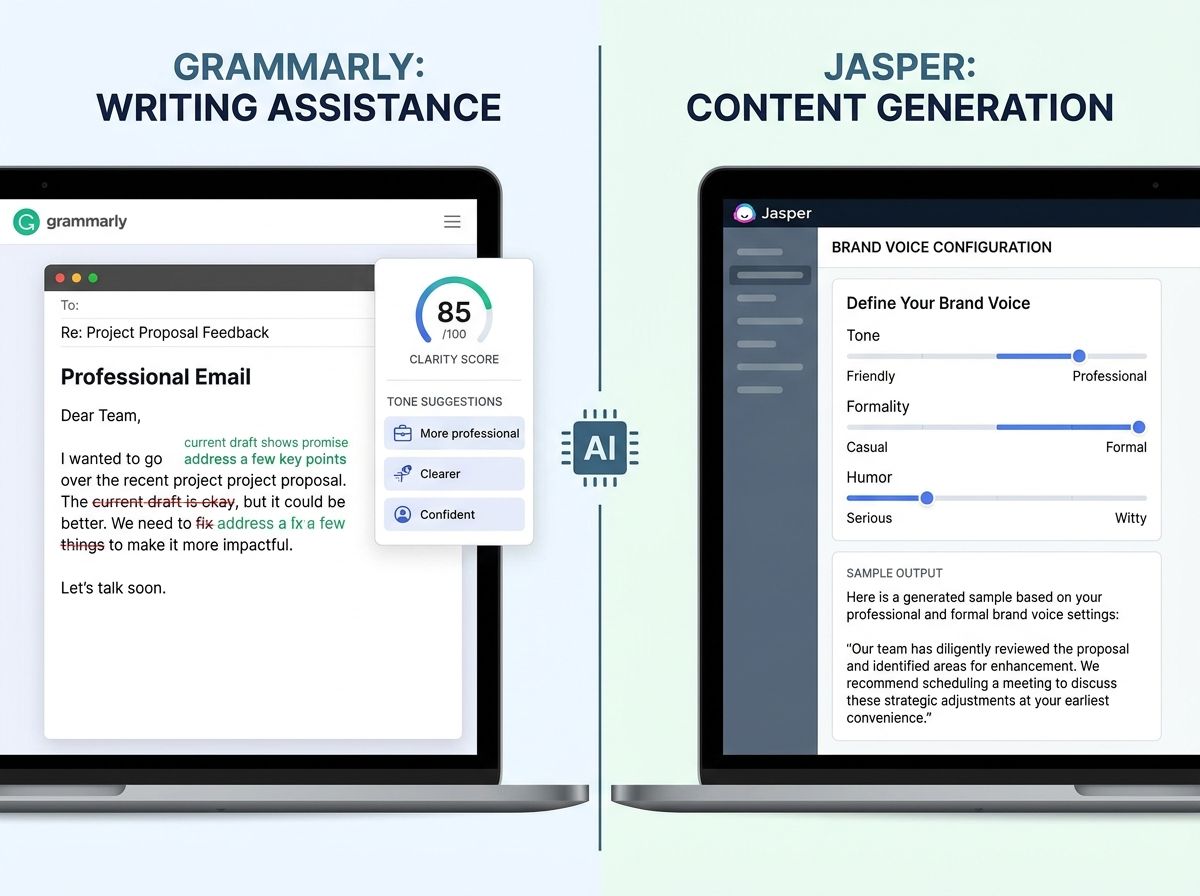
Grammarly's AI has evolved significantly since the pure grammar-checker it started as. The 2026 version covers tone (adjusting a Slack message to be more diplomatic, or an email to be more direct), clarity (rewriting a dense paragraph into something scannable), and delivery (suggesting when to send based on the recipient's response patterns). The browser extension means it works everywhere you write — email, docs, chat, social.
Jasper targets marketing teams that need to generate large volumes of on-brand content. Its Brand Voice feature learns your brand's tone, style, and vocabulary, and applies it consistently across every piece of content it generates. For teams that need 50 blog posts, 200 social updates, and 30 ad variants a month, Jasper is the production pipeline. For individual writers who want to write better, Grammarly is the right answer.
Pick Grammarly if you are an individual or team that wants AI to improve the quality of what you write, without changing your workflow. The free tier is generous enough to evaluate; the Premium tier at $12/month is worth it for anyone who writes professionally.
Pick Jasper if you run a marketing team that needs to generate large volumes of on-brand content at scale. The Brand Voice and the content production workflow are purpose-built for this job. Skip it if you write mostly one-off pieces — the platform overhead is not worth it for occasional use.
How these tools compose in a workflow
The honest answer is that most knowledge workers end up using all three categories, often from different providers:
- Fireflies.ai or Otter.ai for meeting capture and async search
- Notion AI for drafting and wiki management (if your team is in Notion)
- Grammarly for polishing every piece of written communication
The composition is not accidental — it reflects the fact that the three categories are genuinely separate jobs. Meeting AI captures what was said. Document AI shapes what you write. Communication AI polishes how it sounds. Using all three is not tool sprawl; it is coverage of a real workflow.
Comparison at a glance
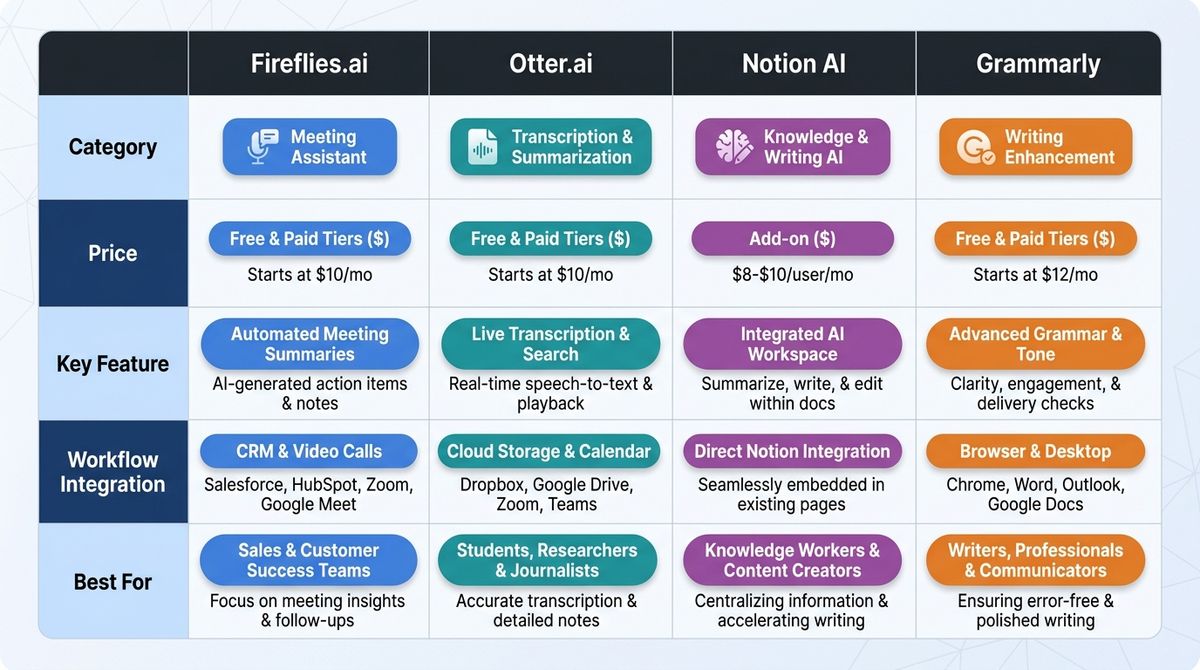
| Fireflies.ai | Otter.ai | Notion AI | Grammarly | |
|---|---|---|---|---|
| Category | Meeting AI | Meeting AI | Document AI | Communication AI |
| Price | Free / $18/user/mo | Free / $20/user/mo | $10/user/mo | Free / $12/user/mo |
| Key feature | Async meeting search | Live meeting chat | In-document AI | Cross-platform polish |
| Workflow | Browser + calendar + Zoom/Meet | Browser + calendar + Zoom/Meet | Notion | Browser + email + docs |
| Best for | Teams with async culture | Live meeting attendees | Notion-based teams | Individual + team writers |
What to try first
If your team struggles with meeting notes and follow-up, start with Fireflies.ai's free tier and run it on your next three meetings. The value of searchable, shareable meeting summaries is immediately obvious. If you attend a lot of live meetings and want real-time transcription with AI chat, try Otter.ai. If you are already in Notion, try Notion AI for one document and decide from there. If you write professionally (emails, reports, proposals), try Grammarly — the free tier is enough to feel the difference, and the $12 Premium is worth it for most writers.
Bottom line
AI productivity tools are not a category with one winner — they are three separate categories (meeting, document, communication) with different winners for different workflows. Fireflies wins for async meeting culture. Otter wins for live meeting attendees. Notion AI wins for Notion-based teams. Grammarly wins for individual writers. The best stack uses all three categories, and within each category, picks the tool that matches how your team actually works.
See the full profiles — and 59 other AI agents — in our directory.