 AI Agents Hub
AI Music Generation in 2026: Suno vs Udio
Two AI music platforms dominate in 2026. Suno is the accessible text-to-music platform that made AI music mainstream. Udio is the high-fidelity platform built for musicians and producers. Here's how to pick.
Two AI music platforms have separated from the long tail in 2026. Suno is the platform that made text-to-music accessible to anyone with a credit card — the leader in user growth and the most-used AI music tool globally. Udio is the platform that prioritizes audio fidelity and creative control — the choice of professional musicians and serious producers who want studio-quality output. Same goal (AI-generated music), two very different design philosophies.
How AI music generation works in 2026
Both Suno and Udio use transformer-based diffusion models trained on millions of songs. You give the model a text prompt (style, mood, lyrics, instrumentation) and it produces a complete song — vocals, instruments, structure, mix. The differences are in the model's training data, the user interface, and the controls the platform gives you over the output.
The 2026 versions of both platforms produce 2-4 minute songs with vocals, lyrics, and full arrangements. The quality has crossed the threshold from "interesting demo" to "actually usable for content" — both platforms have paying users shipping AI-generated music in YouTube videos, podcasts, ads, and social posts. The question is which platform gives you the right balance of accessibility and quality for your use case.
Suno: the accessible text-to-music platform
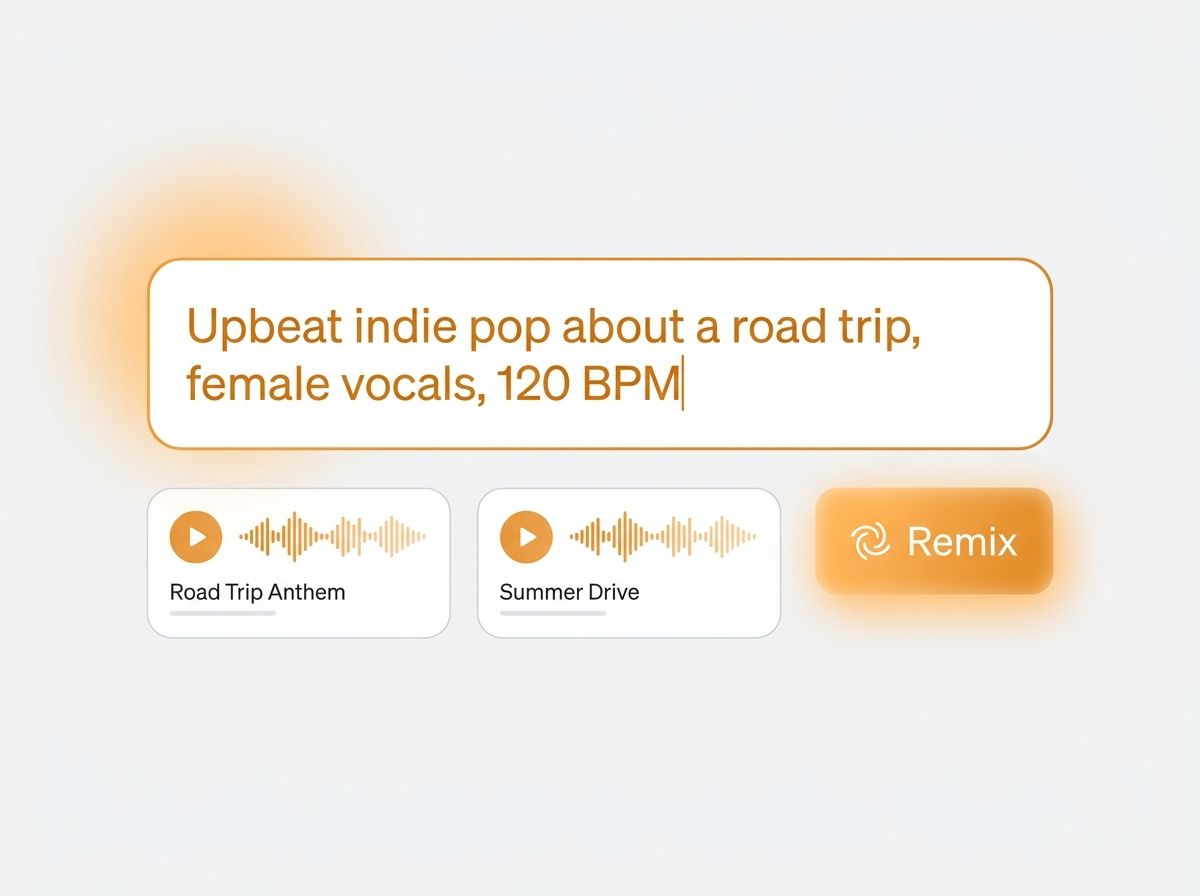
Suno is the platform that made AI music mainstream. The interface is dead simple: type a prompt describing the song you want ("upbeat indie pop about a road trip, female vocals, 120 BPM"), pick "Custom" mode if you have your own lyrics, and the model generates two songs in under a minute. The user does not need to know anything about music production, audio engineering, or AI.
The standout feature is the speed of iteration. Suno generates 2-4 minute songs in 30-60 seconds, which is fast enough that you can try 10 variations of a prompt in 10 minutes and pick the one you like. The "Remix" feature lets you take a generated song and modify specific aspects (change the vocal style, swap the genre, adjust the structure) while keeping the rest. For content creators who need a usable track in 15 minutes, this is the right answer.
The other under-appreciated feature is the lyrics handling. Suno's custom lyrics mode lets you paste your own lyrics, mark sections (verse, chorus, bridge), and the model composes music that fits the structure and emotion. For songwriters, this is the closest thing to a "I have lyrics, I need a demo" tool that exists.
Suno has a generous free tier (50 credits/day, ~5-10 songs) and a Pro plan at $10/month for 2,500 credits (~250-500 songs). The Pro plan also unlocks commercial use rights, which makes it the right answer for content creators who need to monetize their AI-generated tracks.
Where Suno is weak: the audio fidelity lags behind Udio. The vocals can sound slightly synthetic, the mixes are more compressed, and the dynamic range is narrower. For casual use this does not matter; for professional audio production, the difference is audible. The other soft spot is fine-grained control — you cannot adjust individual instrument levels, tweak the mix, or isolate stems for further production work.
Pick Suno if you want the lowest friction to usable AI-generated music, you produce content at volume (YouTube, podcast, social), and the lyrics-first workflow matches your creative process. Skip it if you need studio-quality fidelity or fine-grained control over individual tracks.
Udio: the audio fidelity platform
Udio is the platform that prioritizes audio quality above all else. The model was trained with a focus on fidelity — the output sounds closer to professionally mixed studio recordings than any other AI music tool. The vocals have natural inflection, the instruments have depth and separation, and the mixes have the dynamic range you would expect from a real producer.
The standout feature is the audio quality. Udio uses a different architecture (latent diffusion with high-fidelity decoding) that produces noticeably better sound than Suno. For musicians and producers who care about how the track sounds, this is the right platform. The output is good enough to use as a reference track, a starting point for further production, or even as-is in a release.
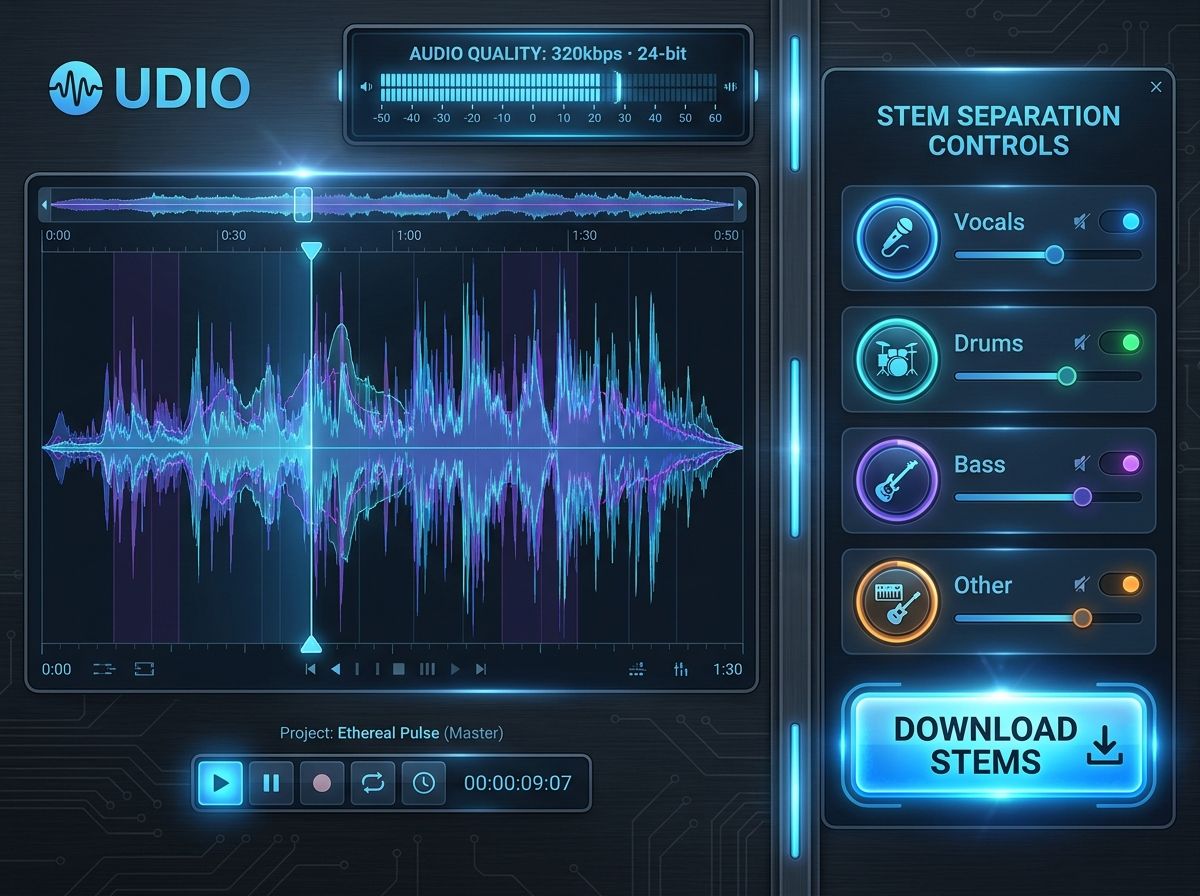
The other under-appreciated feature is the stem separation. Udio can output individual stems (vocals, drums, bass, other instruments) for further production work in a DAW. This is the killer feature for producers — you can generate a song, pull out the stems, and use them as the foundation for a real production.
Udio's pricing is similar to Suno: a free tier with limited generations, and paid plans starting at $10/month for the Basic tier (1,200 generations), $30/month for the Pro tier, and $60/month for the Premium tier. The paid plans include commercial use rights.
Where Udio is weak: the lyrics handling is not as polished as Suno. The custom lyrics mode is functional but less integrated, and the model's vocal performance with custom lyrics can be less consistent. The other soft spot is the generation speed — Udio takes 60-120 seconds to generate a song, which is slower than Suno's 30-60 seconds. For content creators who need fast iteration, this matters.
Pick Udio if you are a musician, producer, or audio professional who needs studio-quality output and the ability to extract individual stems for further production. Skip it if you produce content at high volume and need the fastest possible iteration — Suno is faster and more accessible.
Comparison at a glance
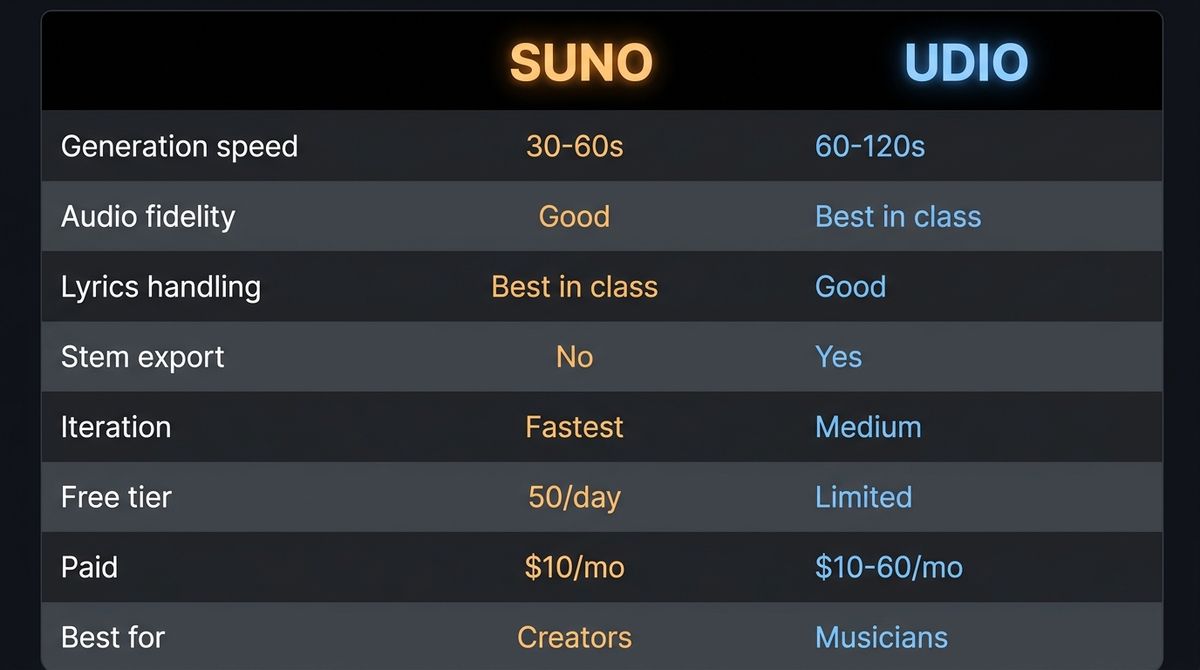
| Suno | Udio | |
|---|---|---|
| Generation speed | 30-60s | 60-120s |
| Audio fidelity | Good | Best in class |
| Lyrics handling | Best in class | Good |
| Stem export | No | Yes (vocals, drums, bass, instruments) |
| Iteration | Fastest (Remix in 30s) | Medium (regenerate variants) |
| Free tier | 50 credits/day (~5-10 songs) | Limited daily generations |
| Paid | $10/mo (Pro, 250-500 songs) | $10-60/mo (Basic-Premium) |
| Best for | Content creators, songwriters | Musicians, producers, audio pros |
| Weakness | Lower fidelity, no stems | Slower, less polished lyrics |
Verdict by use case
If you are a content creator producing music for YouTube, podcasts, or social media: Suno. The fast iteration, the accessible interface, and the lyrics handling make it the right tool for high-volume content production.
If you are a musician or producer who needs studio-quality output: Udio. The audio fidelity and the stem export are the killer features for serious music production. Use the generated tracks as starting points for real productions, or release them as-is.
If you are a songwriter with lyrics and need a demo: Suno. The custom lyrics mode is the most polished, and the structure markers (verse, chorus, bridge) help the model compose music that fits the emotional arc.
If you want both: use Suno for the rapid ideation and content production, and Udio for the final tracks that need to sound professional. The two compose well — many producers use Suno to explore ideas quickly and Udio to produce the final versions.
What to try first
If you've never used an AI music tool, start with Suno's free tier — 5-10 songs per day is enough to feel the category. Once you've explored the basic text-to-music flow, try the custom lyrics mode with a short verse and chorus. From there, move to Udio to hear the fidelity difference and explore the stem export. The sequence above gets you from "I have no idea what AI music is" to "I have a workflow that fits my use case" in a couple of hours.
Bottom line
Suno and Udio cover two different positions in the AI music market. Suno is the accessible, fast, lyrics-first platform for content creators. Udio is the high-fidelity, stem-export platform for musicians and producers. The one to pick depends on whether your bottleneck is volume (Suno) or quality (Udio) — and for most serious music work, the answer is to use both. Suno for ideation, Udio for the final output.
See the full profiles — and 59 other AI agents — in our directory.