 AI Agents Hub
AI Agent Frameworks in 2026: LangGraph vs CrewAI vs AutoGen
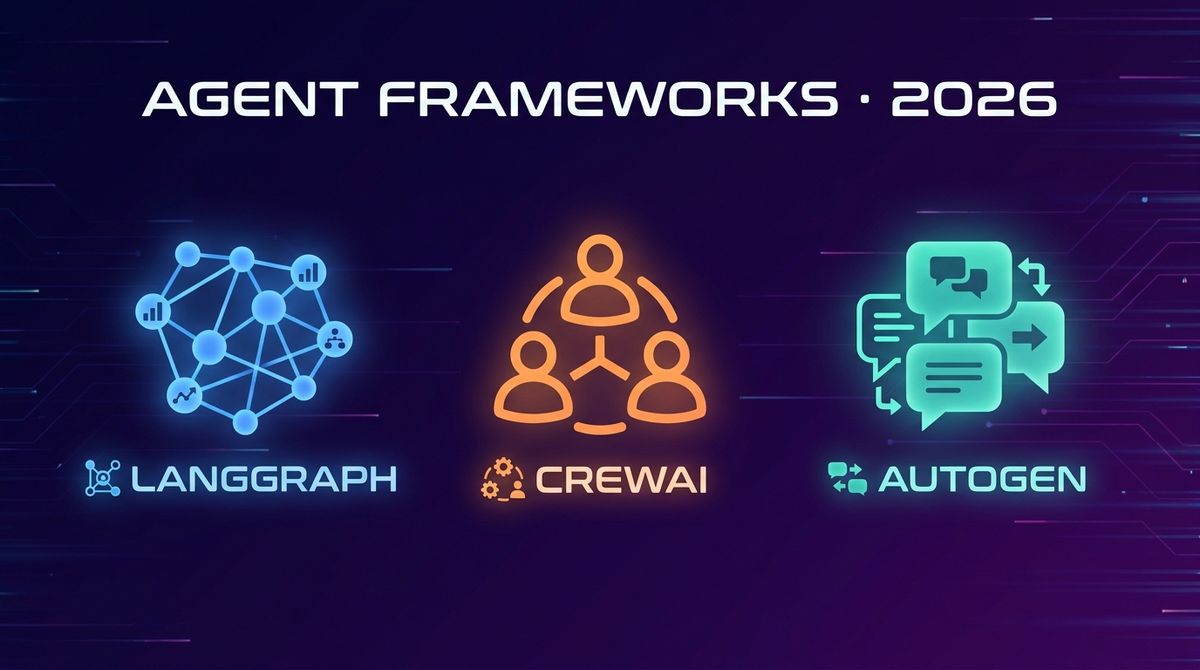
Three open-source Python frameworks have become the default way to build production AI agent systems in 2026. LangGraph is graph-based, CrewAI is role-based, and AutoGen is conversation-based. Here's how to pick the right one.
Three open-source Python frameworks have become the default way to build production AI agent systems in 2026. LangGraph from the LangChain team is the graph-based framework for stateful, multi-step agentic workflows. CrewAI is the role-based framework for multi-agent collaboration. AutoGen from Microsoft is the conversation-based framework for building agents that talk to each other. Same goal (production-grade agent systems), three very different architectures.
If you are a developer who wants to build AI agents — not just use them — these are the three frameworks you will encounter. This post compares them head-to-head using the profiles in our 62-agent directory, then tells you which to pick for which kind of system.
Why framework choice matters
You can build an AI agent with a single LLM call and a loop. For a demo, that is enough. For production, you need more: state management across long-running tasks, tool integration, error recovery, observability, parallel execution, and the ability to compose multiple agents. The framework you choose determines how much of that you have to build yourself versus inherit from the framework.
The three frameworks in this post all solve the production problem, but they take different approaches. LangGraph is graph-based (you define nodes and edges). CrewAI is role-based (you define agents with personas and tasks). AutoGen is conversation-based (you define agents that talk to each other in a group chat). Picking the wrong one for your use case means rewriting the system when you hit the framework's limits.
LangGraph: the graph-based framework
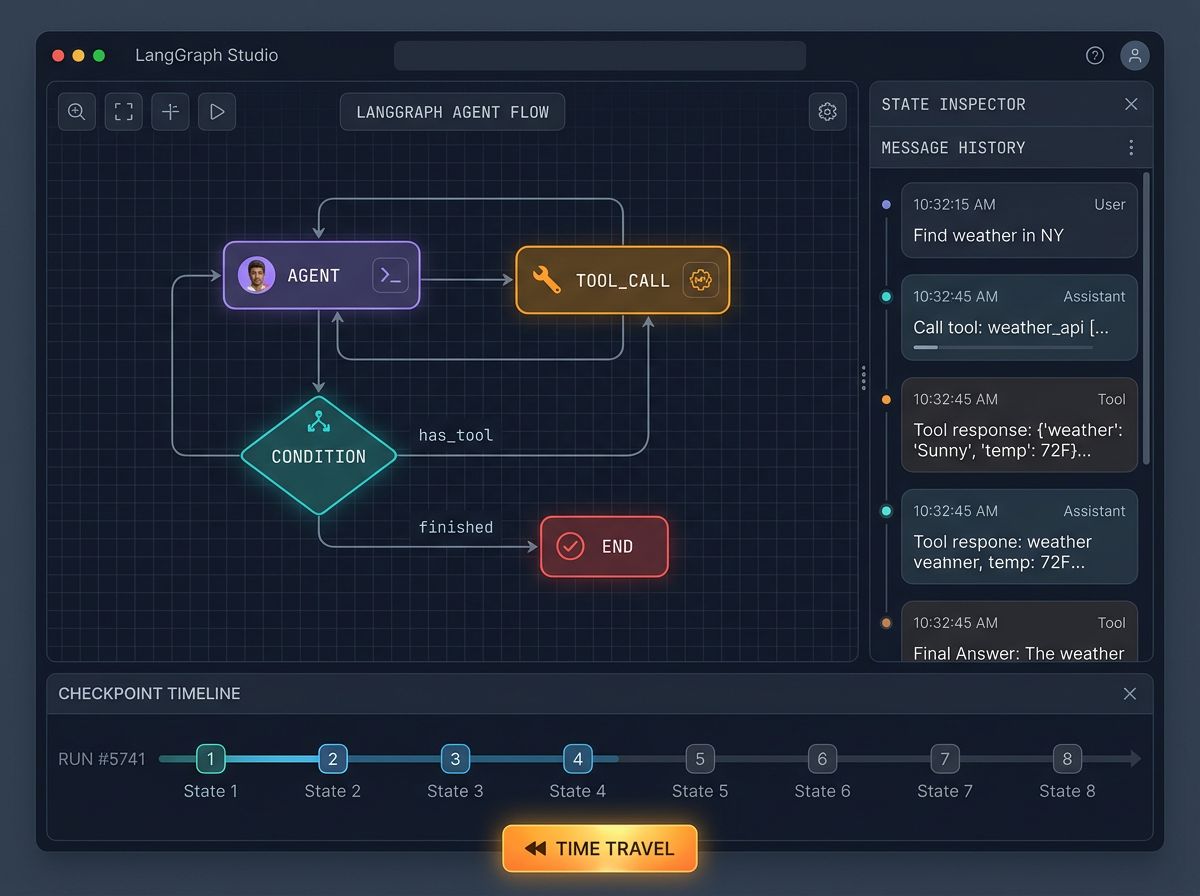
LangGraph is the graph-based framework from the LangChain team. You define the workflow as a directed graph: nodes are functions (LLM calls, tool invocations, decision points), and edges are the transitions between them. The framework handles state management, persistence, streaming, and the ability to pause, resume, and inspect the workflow at any point.
The pitch is control. LangGraph gives you the most explicit control over what your agent does at each step, with the least magic. For complex workflows where you need to know exactly what the agent is thinking and doing — and the ability to debug, modify, or interrupt the workflow mid-execution — this is the right framework.
The standout feature is the persistence and human-in-the-loop story. LangGraph supports checkpointing, where the entire state of the workflow is saved after each step, and the ability to "time travel" — go back to any previous state, modify it, and continue. For production systems that need to handle errors, recover from crashes, or include human approval at specific steps, this is the strongest story.
from langgraph.graph import StateGraph
from langchain_anthropic import ChatAnthropic

llm = ChatAnthropic(model="claude-sonnet-4-5")

def should_continue(state):
    return "end" if state["iterations"] >= 5 else "continue"

def call_model(state):
    response = llm.invoke(state["messages"])
    return {"messages": [response], "iterations": state["iterations"] + 1}

graph = StateGraph()
graph.add_node("agent", call_model)
graph.add_conditional_edges("agent", should_continue, {"continue": "agent", "end": "END"})
app = graph.compile()
Where LangGraph is weak: the explicit control means more code. For a simple "agent with one tool" use case, you write more lines in LangGraph than in CrewAI or AutoGen. The other soft spot is the learning curve — you need to understand graph concepts, state management, and conditional edges before you can be productive.
Pick LangGraph if you are building a complex, stateful production system that needs checkpointing, human-in-the-loop, and detailed observability. Skip it if your system is simple — the framework overhead is not justified.
CrewAI: the role-based framework
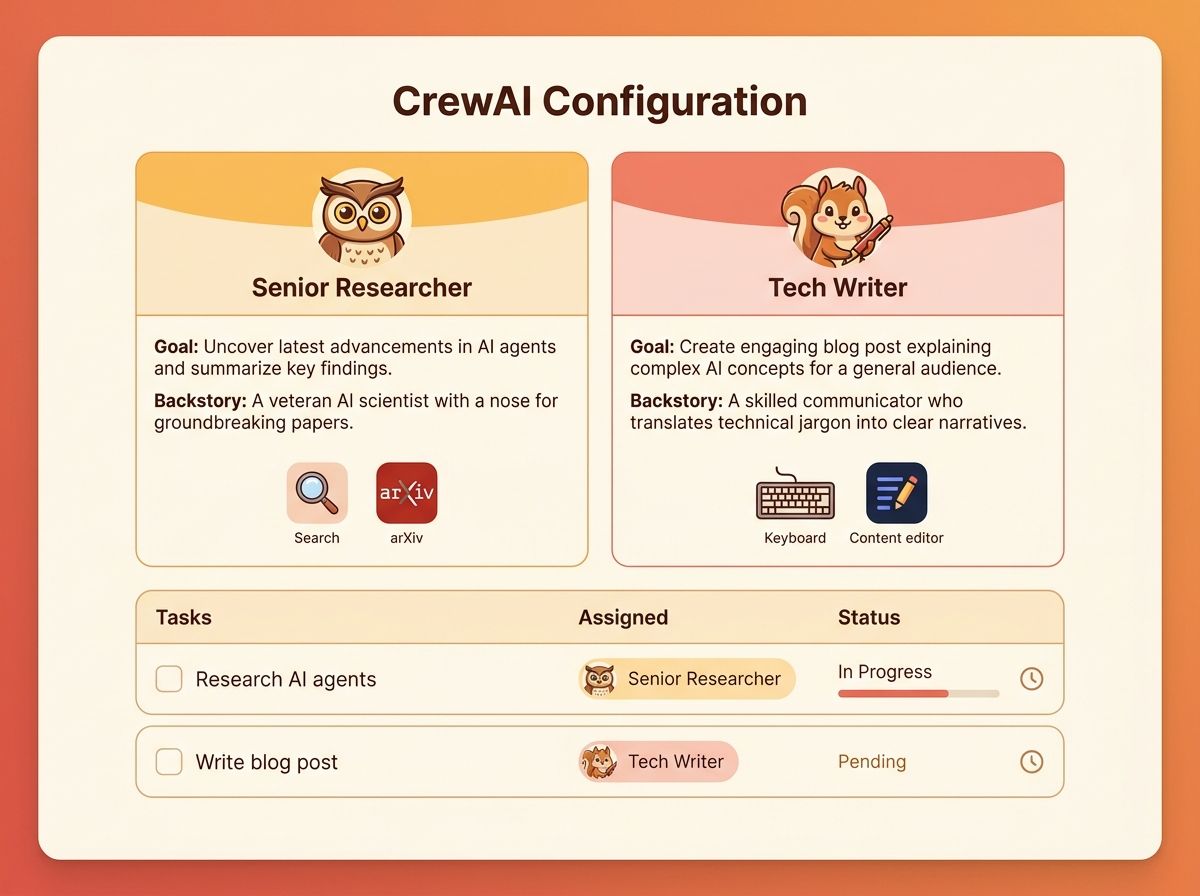
CrewAI is the role-based framework. You define agents with personas (a "researcher" with a backstory, a "writer" with a different backstory, a "reviewer" with yet another), give them tools, and tell them which tasks to accomplish. The framework manages the collaboration between agents — who talks to whom, who hands off to whom, and how the work gets done.
The pitch is simplicity. CrewAI is the most accessible of the three — you can have a working multi-agent system in 50 lines of code. The role-based metaphor maps cleanly to how real teams work, which makes it easy to think about and debug. For a team that is new to agents and wants to get something working fast, CrewAI is the right entry point.
The standout feature is the sequential and hierarchical process patterns. CrewAI ships with built-in patterns for "do task A, then B, then C in sequence" and "manager agent delegates to worker agents." These cover 80% of the use cases that people build with multi-agent systems, and the patterns are well-documented and battle-tested.
from crewai import Agent, Task, Crew

researcher = Agent(
    role="Senior Researcher",
    goal="Find the latest research on AI agents",
    backstory="You are an experienced researcher with deep knowledge of AI systems",
    tools=[search_tool, arxiv_tool]
)

writer = Agent(
    role="Tech Writer",
    goal="Write a clear, accurate blog post based on research",
    backstory="You are a skilled writer who can explain complex topics simply",
    tools=[writing_tool]
)

task1 = Task(description="Research the latest AI agent papers", agent=researcher)
task2 = Task(description="Write a blog post from the research", agent=writer)

crew = Crew(agents=[researcher, writer], tasks=[task1, task2])
result = crew.kickoff()
Where CrewAI is weak: the role-based metaphor can become a constraint when you need fine-grained control. If your workflow does not map cleanly to "agents with roles and tasks", you are fighting the framework. The other soft spot is the production story — the simple API is great for prototyping, but for complex production systems with custom state management, you may outgrow CrewAI and need to migrate to LangGraph or AutoGen.
Pick CrewAI if you are building a multi-agent system where the work naturally maps to "roles" and "tasks" (research, write, review, deploy). Skip it if your system is a single complex agent, or you need fine-grained control over the workflow structure.
AutoGen: the conversation-based framework
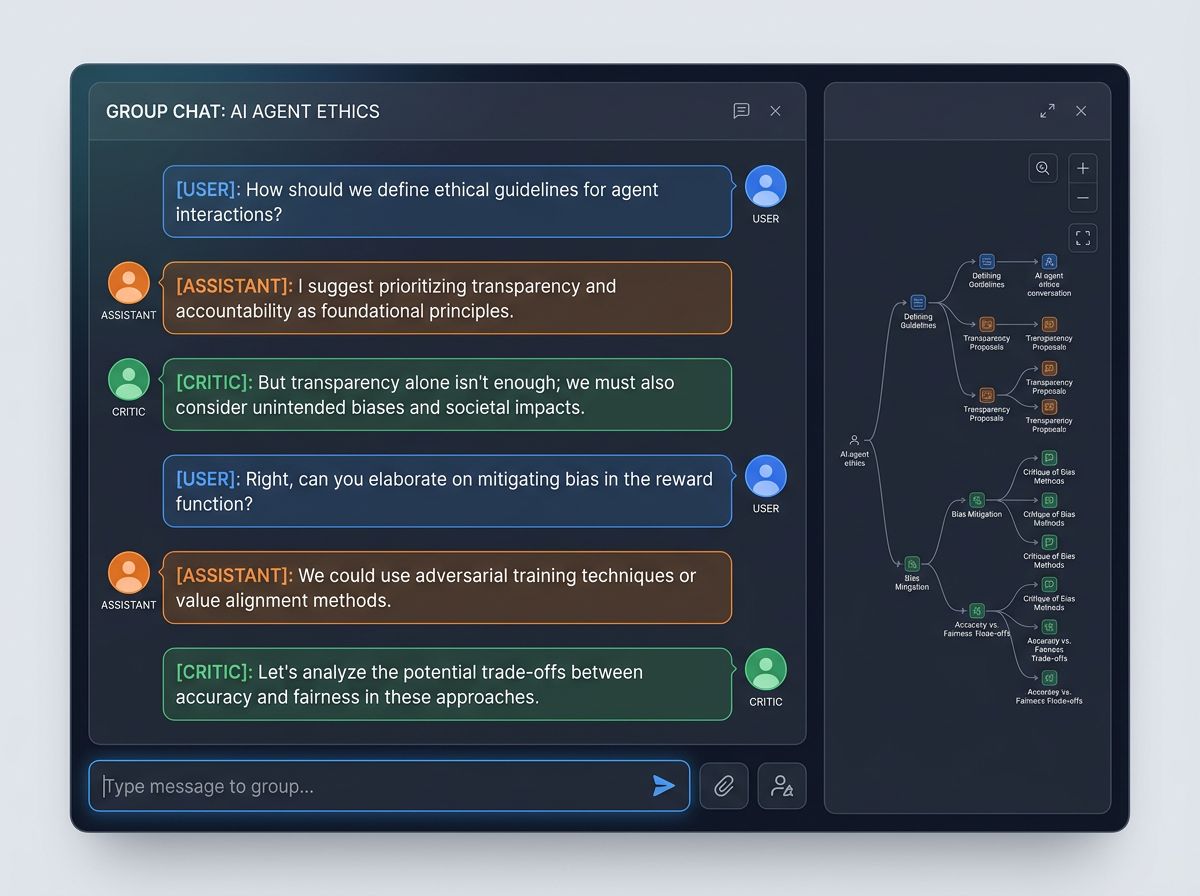
AutoGen is the conversation-based framework from Microsoft. You define agents that talk to each other in a group chat — the "user_proxy" represents the human, the "assistant" is the LLM, and you can add specialist agents that join the chat when needed. The framework manages the conversation, deciding who speaks next, and the work gets done through the exchange of messages.
The pitch is flexibility. The conversation-based model is the most flexible of the three — you can build any system that can be expressed as "agents talking to each other." For research systems where the goal is to explore a problem interactively, the conversation model is a natural fit. For systems that need to scale to many agents with complex interaction patterns, the model also scales.
The standout feature is the multi-agent conversation patterns. AutoGen supports nested chats, where a group chat can spawn sub-conversations, and group chat managers that decide dynamically which agent speaks next. For research agents that need to debate, refine, and explore, the conversation model is the most natural representation.
Where AutoGen is weak: the conversation model is the hardest to debug. When something goes wrong, you have to read through a long transcript of messages to understand why. The other soft spot is the state management — for workflows that need explicit state, persistence, or human-in-the-loop at specific points, you are working against the conversation model. LangGraph is better for those use cases.
Pick AutoGen if you are building a research-oriented multi-agent system where the value comes from the agents debating and refining ideas. Skip it if you need explicit state management, or the work is more procedural than conversational.
Comparison at a glance
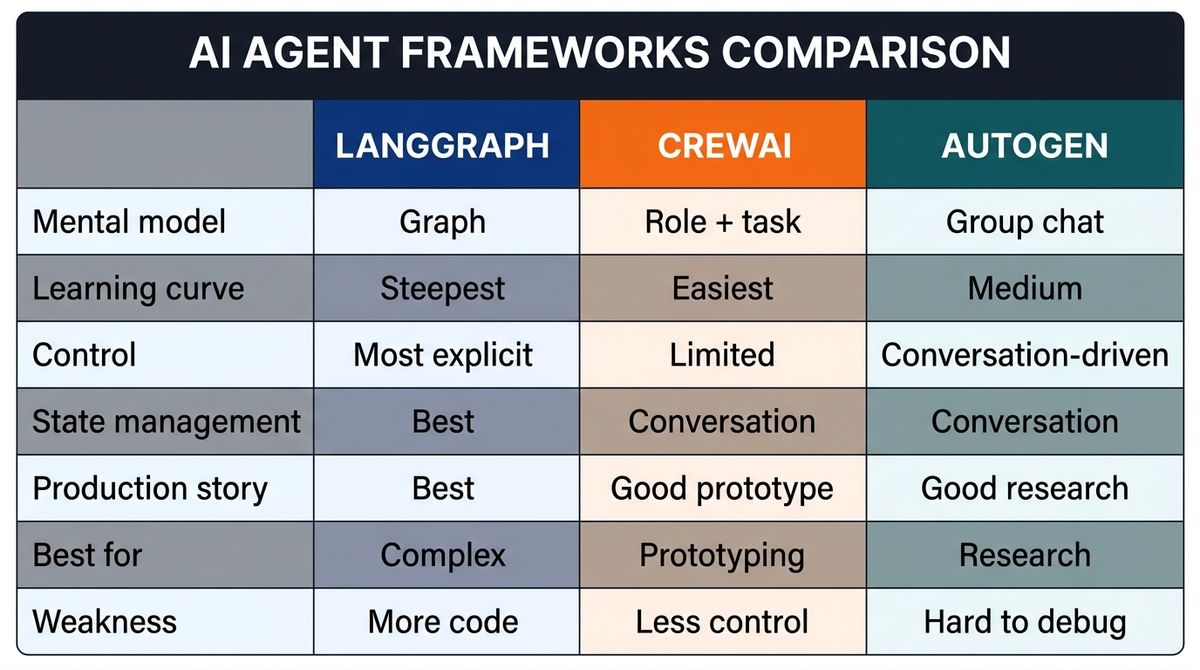
| LangGraph | CrewAI | AutoGen | |
|---|---|---|---|
| Mental model | Graph (nodes + edges) | Roles + tasks | Group chat |
| Learning curve | Steepest | Easiest | Medium |
| Control | Most explicit | Limited to roles/tasks | Conversation-driven |
| State management | Best in class (checkpointing) | Basic | Conversation-based |
| Production story | Best in class | Good for prototypes | Good for research |
| Best for | Complex production systems | Multi-agent prototyping | Research / exploration |
| Weakness | More code | Less control | Harder to debug |
Verdict by use case
If you are building a complex production agent system with state, persistence, and human-in-the-loop: LangGraph. The control, the checkpointing, and the production story are unmatched. The learning curve pays off when your system gets complex.
If you are prototyping a multi-agent system where work maps to roles (research, write, review): CrewAI. The simplest API, the fastest time-to-working-system, and the most natural mental model for role-based work.
If you are building a research system where agents debate and refine ideas: AutoGen. The conversation model is the most natural fit for systems that value exploration over procedural correctness.
If you are not sure which to pick: start with CrewAI for the prototype, then migrate to LangGraph when you need the production features. The two are not mutually exclusive — many production systems use CrewAI for the high-level agent definitions and LangGraph for the underlying workflow orchestration.
What to try first
If you've never built an agent framework, start with CrewAI — the simplest API, the fastest "I have a working multi-agent system" moment, and the most accessible learning curve. From there, look at LangGraph if you need production features like checkpointing and human-in-the-loop. Add AutoGen when you have a research workflow that benefits from agents debating ideas.
Bottom line
LangGraph, CrewAI, and AutoGen cover three different mental models for the same goal. LangGraph is the graph for explicit control. CrewAI is the role-based framework for simple multi-agent systems. AutoGen is the conversation framework for research and exploration. Pick the one that matches your use case — or use CrewAI for the prototype and LangGraph for the production version, since the two compose well. The framework that wins is the one that makes your system easy to build, easy to debug, and easy to maintain.
See the full profiles — and 59 other AI agents — in our directory.